IO
本文最后更新于 2025年9月9日 下午
QA*韩顺平B站IO流课程**
目录
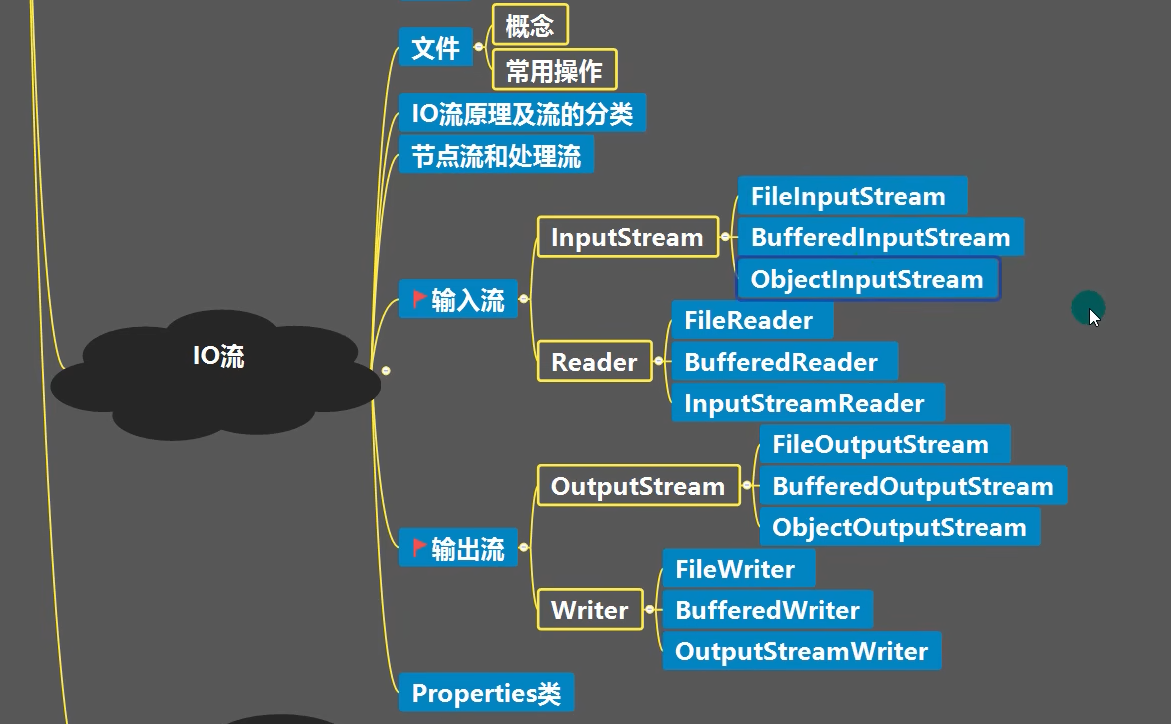
文件基础知识

- 输入还是输出是针对内存而言
常用文件操作
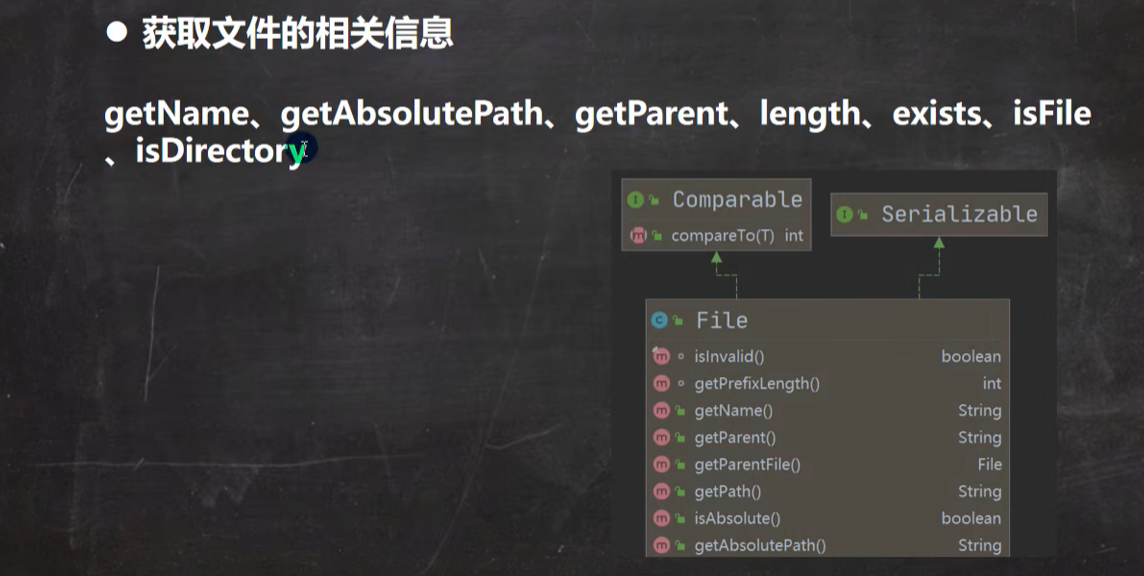
tips:一个汉字是3个字节
文件的删除
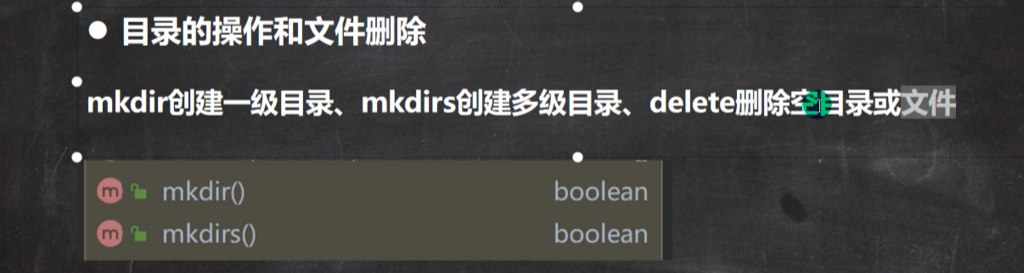
目录也是一种文件
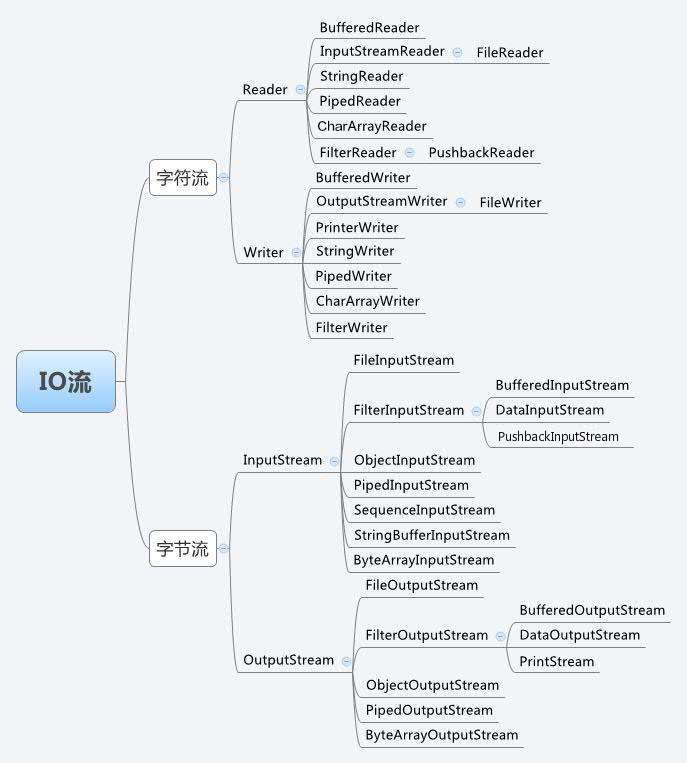
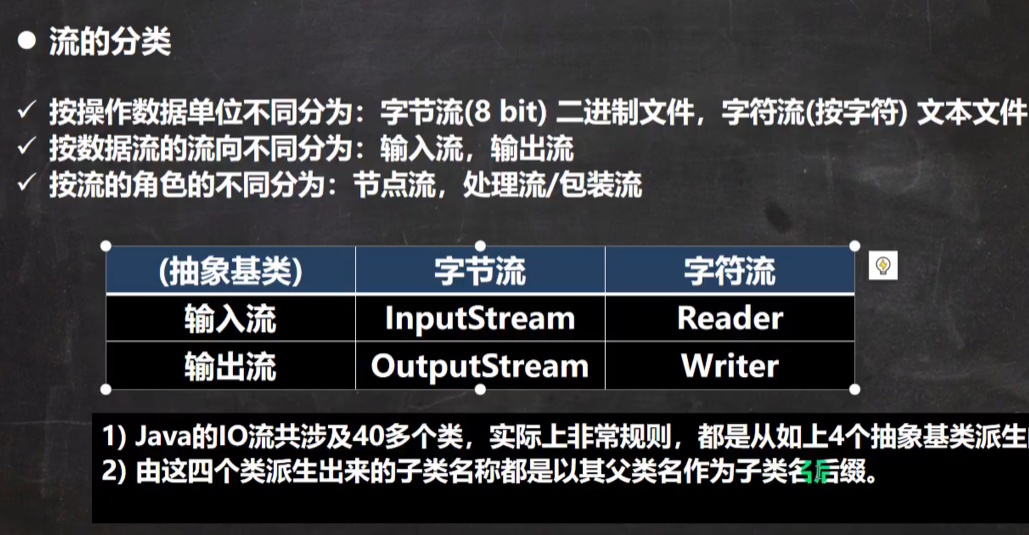
流的分类
FileInputStream
- 用于读取文件
1
2
3
4
5
6
7
8
9
10
11
12
13
14
15
16
17
18
19
20
21
22
23
24
25
26
27
28
29
30
31
32
33
34
35
36
37
38
39
40
41
42
43
44
45
46
47
48
49
50
@Test
public void readFile01() {
String filePath = "e:\\io\\hello.txt";
int readData = 0;
java.io.FileInputStream fileInputStream = null;
try {
// 创建fileinputstream对象用于读取文件
fileInputStream = new java.io.FileInputStream(filePath);
while ((readData = fileInputStream.read()) != -1) {
System.out.print((char) readData); // 转成char显示
}
} catch (IOException e) {
throw new RuntimeException(e);
} finally {
try {
// 关闭文件流,释放资源
fileInputStream.close();
} catch (IOException e) {
throw new RuntimeException(e);
}
}
}
/**
* 读取文件中汉字,用字节数组的形式提高读取效率
*/
@Test
public void readFile02() {
String filePath = "e:\\io\\hello.txt";
byte[] buf = new byte[8]; // 一次读8个字节
Integer readLen = 0;
java.io.FileInputStream fileInputStream = null;
try {
// 创建fileinputstream对象用于读取文件
fileInputStream = new FileInputStream(filePath);
while ((readLen = fileInputStream.read(buf)) != -1) {
System.out.print(new String(buf, 0, readLen)); // 转成char显示
}
} catch (IOException e) {
throw new RuntimeException(e);
} finally {
try {
// 关闭文件流,释放资源
fileInputStream.close();
} catch (IOException e) {
throw new RuntimeException(e);
}
}
} - 讲解
FileInputStream.read(byte[] b)方法详解
功能
- 尝试从文件中读取最多
b.length个字节的数据,并将其存储到字节数组b中。 - 返回实际读取的字节数(整数),如果已到达文件末尾,则返回
-1。
- 尝试从文件中读取最多
执行流程
- 读取数据:从文件当前位置开始,尝试读取
b.length个字节到数组b中。 - 返回值:
- 正整数:表示成功读取的字节数(可能小于
b.length,例如文件剩余数据不足时)。 - -1:表示已到达文件末尾(EOF,End of File)。
- 正整数:表示成功读取的字节数(可能小于
- 文件指针移动:每次读取后,文件内部的指针会向后移动实际读取的字节数。
- 读取数据:从文件当前位置开始,尝试读取
FileOutputStream
- 用于往文件中写入内容
1
2
3
4
5
6
7
8
9
10
11
12
13
14
15
16
17
18
19
20
21
22
23
24
25
@Test
public void writeFile01() {
//创建对象
FileOutputStream fileOutputStream = null;
String filePath = "e:\\io\\a.txt";
try {
fileOutputStream = new FileOutputStream(filePath);
// 写入字节数据 注意,char会自动转成int类型数据
// fileOutputStream.write('B'); // 如果没有文件会自动创建
// 写入字符串 string.getBytes()会自动把字符串转换成字节数组
// fileOutputStream.write("hello,world".getBytes());
fileOutputStream.write("hello,world".getBytes(),3,5); //从第三个开始写入5个字节
// 1. new FileOutputStream(filePath); 当写入内容会覆盖原来的内容
// 2. new FileOutputStream(filePath,true); 当写入内容会追加内容
} catch (IOException e) {
throw new RuntimeException(e);
} finally {
try {
fileOutputStream.close();
} catch (IOException e) {
throw new RuntimeException(e);
}
}
}
文件的拷贝
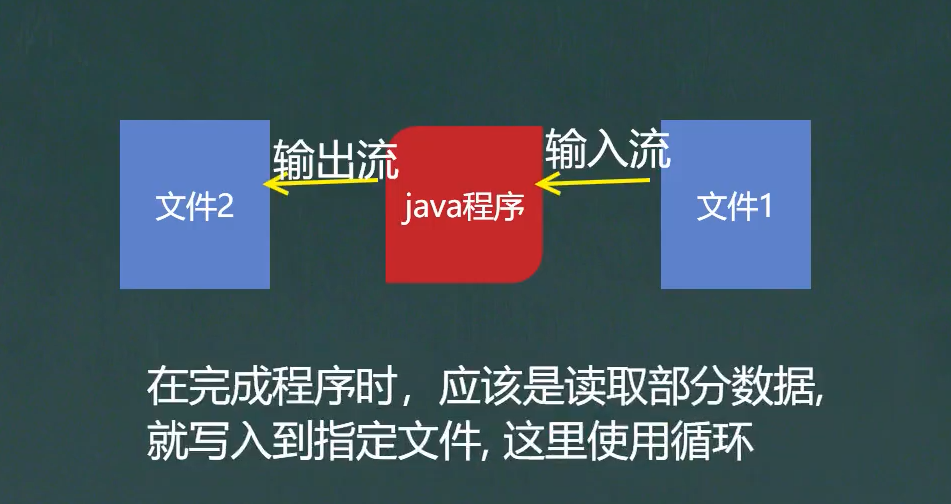
- 源代码
1
2
3
4
5
6
7
8
9
10
11
12
13
14
15
16
17
18
19
20
21
22
23
24
25
26
27
28
29
30
31
32
// 创建文件输入流,将文件读取到程序
// 创建文件输出流,将读取到的文件数据,写入到指定的文件中
String filePath = "C:\\Users\\user\\Pictures\\100NZ502\\DSC_0002.JPG"; // 源文件路径
String targetPath = "e:\\io\\copy.jpg"; // 注意目标指向的一定是一个文件而不是目录
FileInputStream fileInputStream = null;
FileOutputStream fileOutputStream = null;
try {
fileInputStream = new FileInputStream(filePath);
fileOutputStream = new FileOutputStream(targetPath);
// 定义字节数组提高读取效率
byte[] buf = new byte[1024];
int readLen = 0;
// 一边读取一边写入
while ((readLen= fileInputStream.read(buf))!=-1){
fileOutputStream.write(buf,0,readLen); // 一定要用这个方法,否则会出现读取的字节不够
}
System.out.println("拷贝完成");
} catch (IOException e) {
throw new RuntimeException(e);
}finally {
try {
if(fileInputStream!=null){
fileInputStream.close();
}
if(fileOutputStream!=null){
fileOutputStream.close();
}
} catch (IOException e) {
throw new RuntimeException(e);
}
}
FileReader FileWriter


- 案例
 改进
改进1
2
3
4
5
6
7
8
9
10
11
12
13
14
15
16
17
18
19
20
21
22
23// 单个字符读取
public static void main(String[] args) {
String filePath = "e:\\io\\story.txt";
FileReader fileReader = null;
int data = 0;
try {
fileReader = new FileReader(filePath);
// 循环读取并输出 单个字符输出
while ((data = fileReader.read())!=-1){
System.out.print((char)data);
}
} catch (IOException e) {
throw new RuntimeException(e);
} finally {
if(fileReader!=null){
try {
fileReader.close();
} catch (IOException e) {
throw new RuntimeException(e);
}
}
}
}1
2
3
4
5
6
7
8
9
10
11
12
13
14
15
16
17
18
19
20
21
22
23
24
25// 使用字符数组批量读取
public static void main(String[] args) {
String filePath = "e:\\io\\story.txt";
FileReader fileReader = null;
int readLength = 0;
char[] buf = new char[1024]; // 数组长度自拟
try {
fileReader = new FileReader(filePath);
// 循环读取并输出 批量读取 read(buf)返回的是实际读取到的字符数
// 如果返回 -1,说明文件读取结束
while ((readLength = fileReader.read(buf))!=-1){
System.out.print(new String(buf, 0, readLength));
}
} catch (IOException e) {
throw new RuntimeException(e);
} finally {
if(fileReader!=null){
try {
fileReader.close();
} catch (IOException e) {
throw new RuntimeException(e);
}
}
}
}
节点流和处理流


节点流

处理流

BufferedReader
1 | |
BufferedWriter
1 | |
拷贝
1 | |
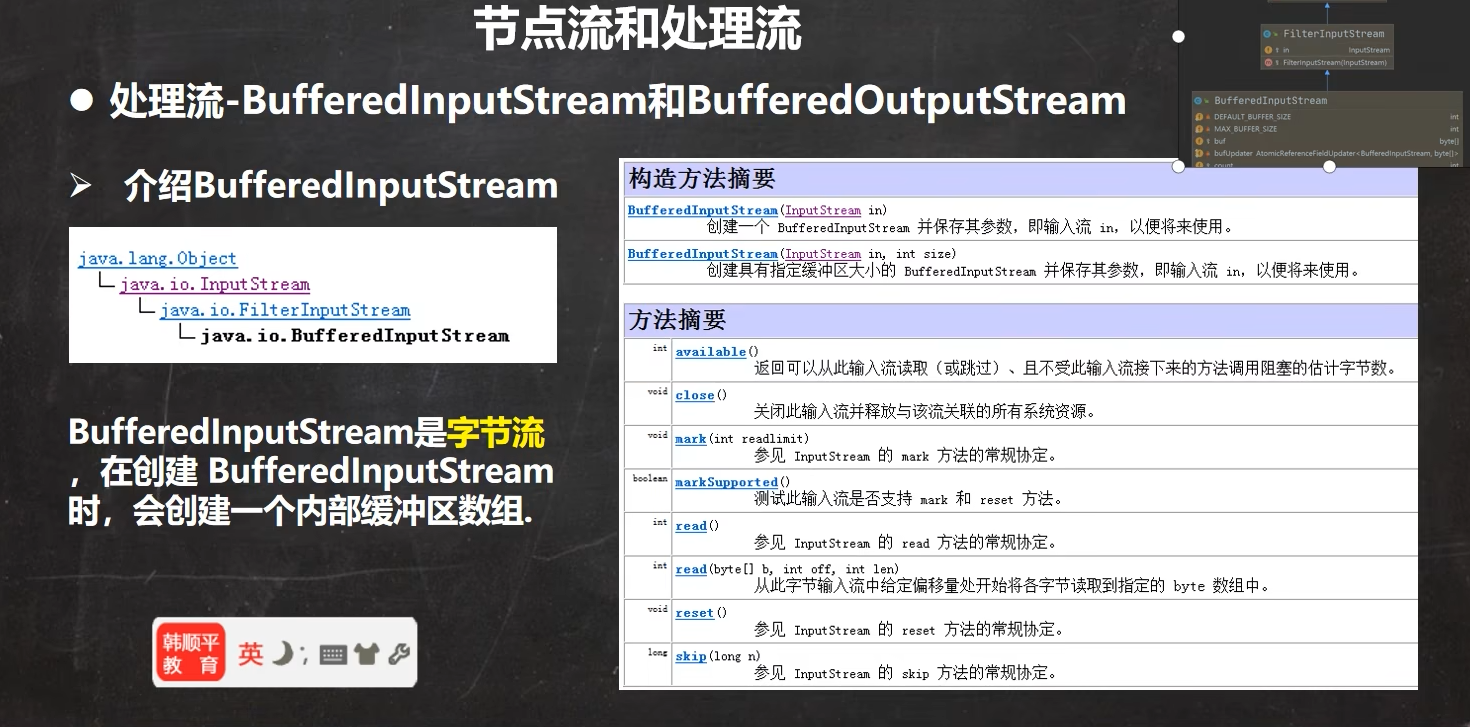
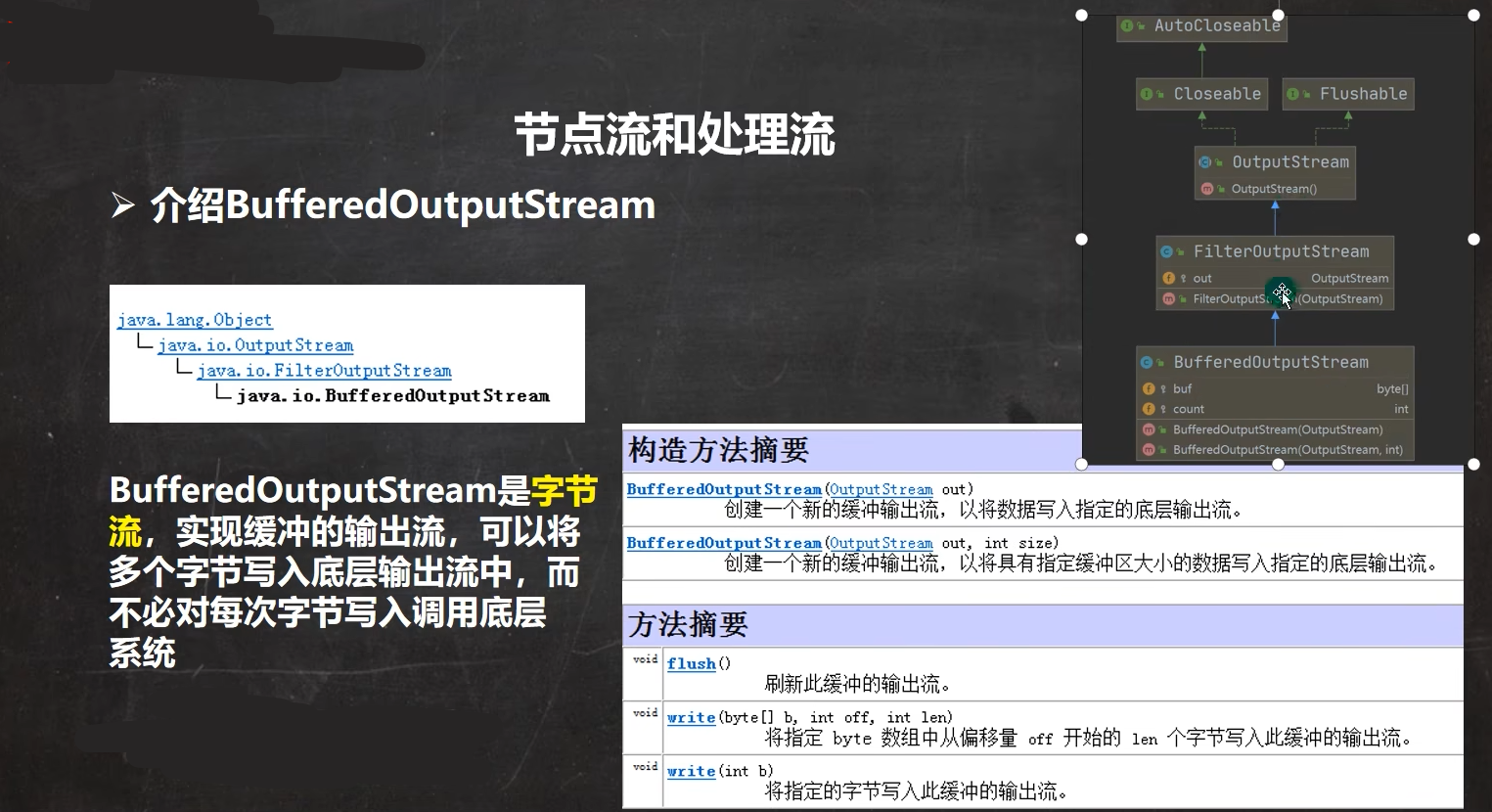
实际工作的是节点流处理流只是包装增强功能,关闭流的时候只用关闭bufferedReader,然后他会自动关闭底层的字节流(当前的BufferedReader是包装流)
二进制文件有:图片 声音 视频
二进制拷贝
1 | |
节点流和处理流的区别和联系

- 用修饰器模式,利用对象动态绑定机制,绑定到对应的实现子类
对象流

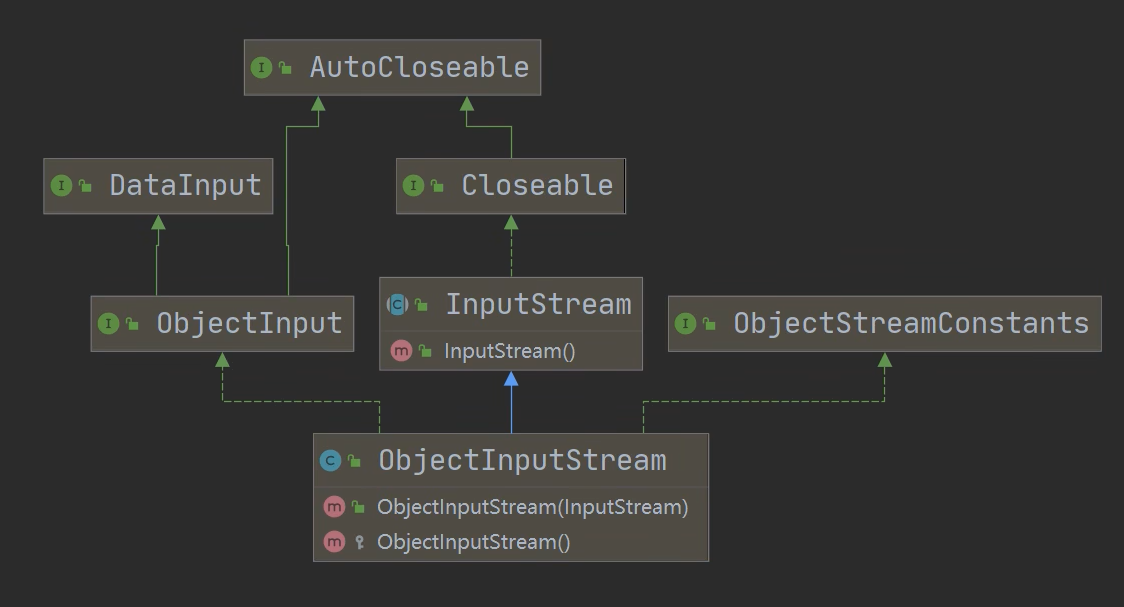
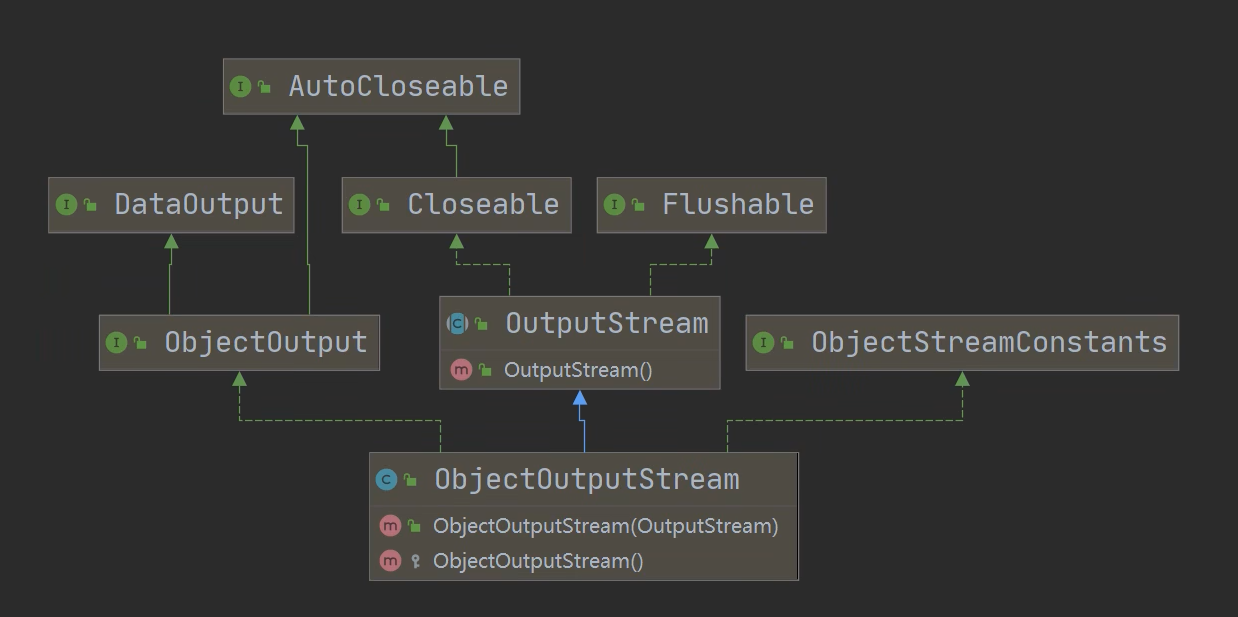
- 保存数据的时候把数据类型也保存下来
- 以前是:保存值
- 现在是:保存值和数据类型,比如100是Integer类型

1 | |

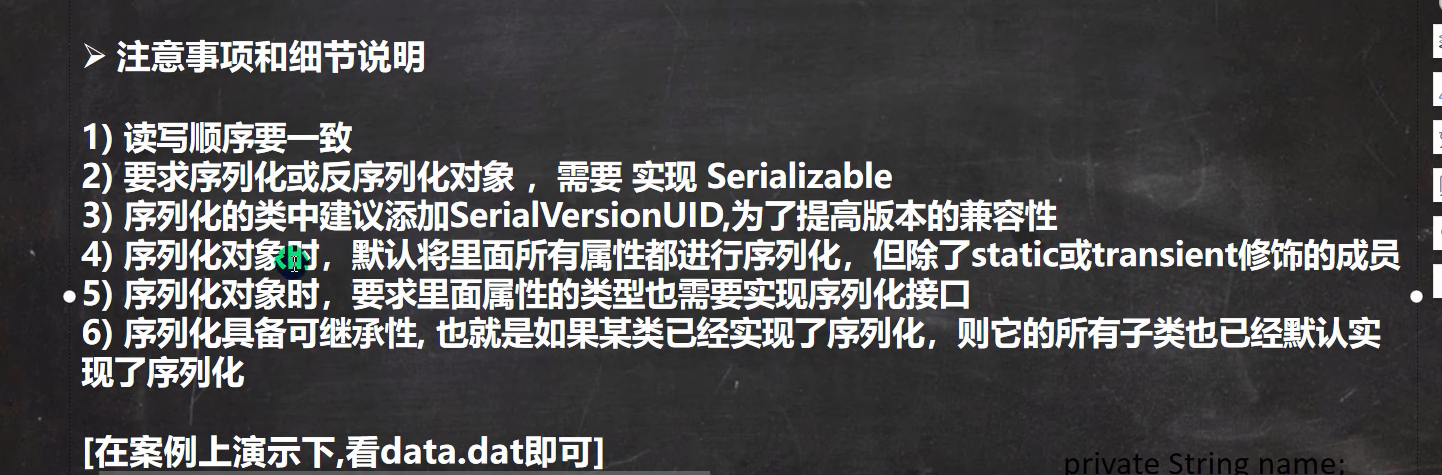
- 第六个点
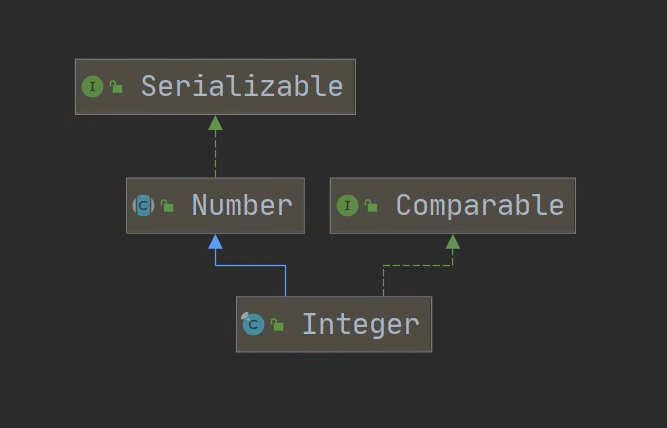
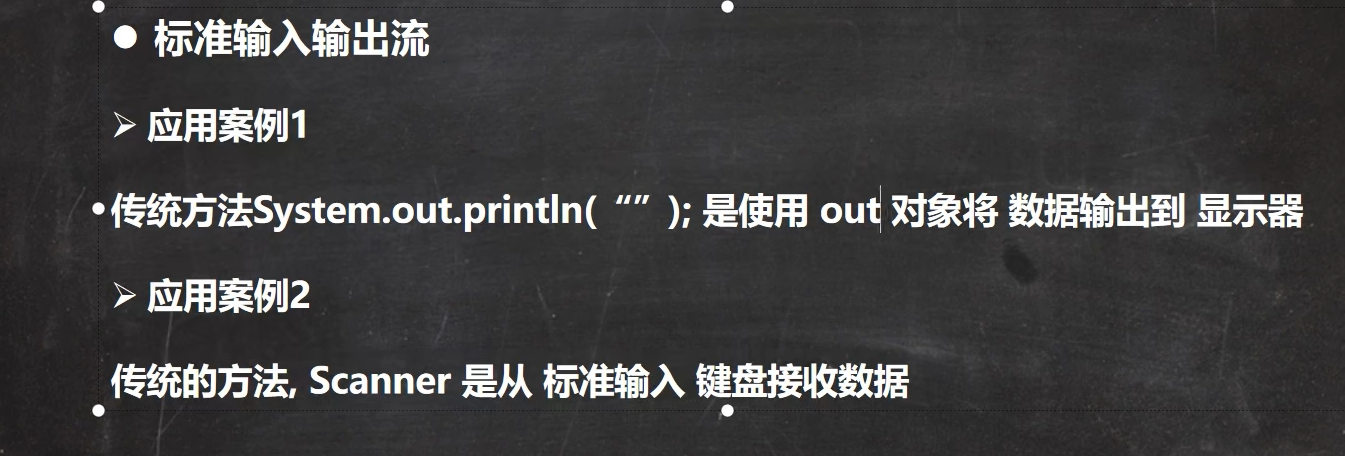
标准输入输出流
1
2
3
4
5
6
7
8
9
10
11
12
13
14
15public class InputAndOutput {
public static void main(String[] args) {
// System类的 public final static InputStream in = null;
// System.in 编译类型 InputStream
// System.in 运行类型 BufferedInputStream
// 表示标准输入 键盘
System.out.println(System.in.getClass());
// System类的 public final static PrintStream out = null;
// System.out 编译类型 PrintStream
// System.out 运行类型 PrintStream
// 表示标准输出 显示器
System.out.println(System.out.getClass());
}
}
转换流
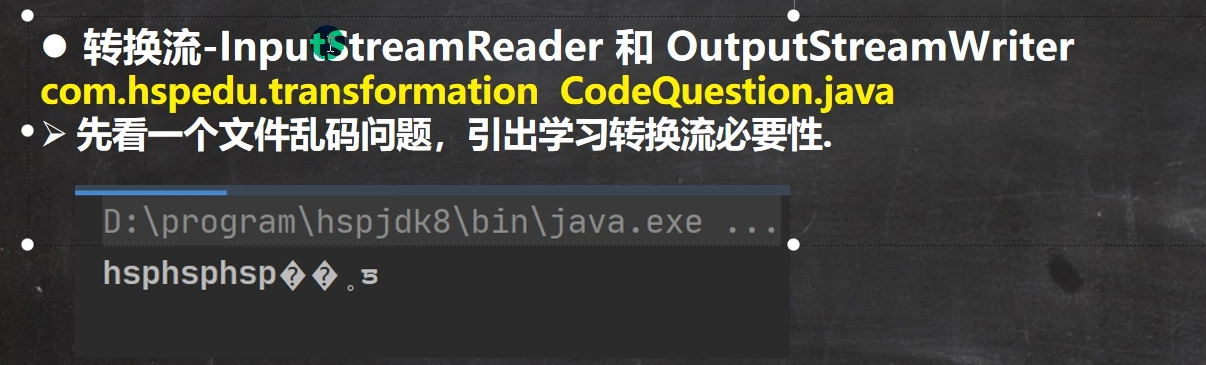

- 把字节流转换成字符流
- 学IO流最困难的是要知道在什么时候用什么流
- ANSI是国标码,其他国家也有自己的国标码,是根据当前安装的系统决定是哪个国家的国标码
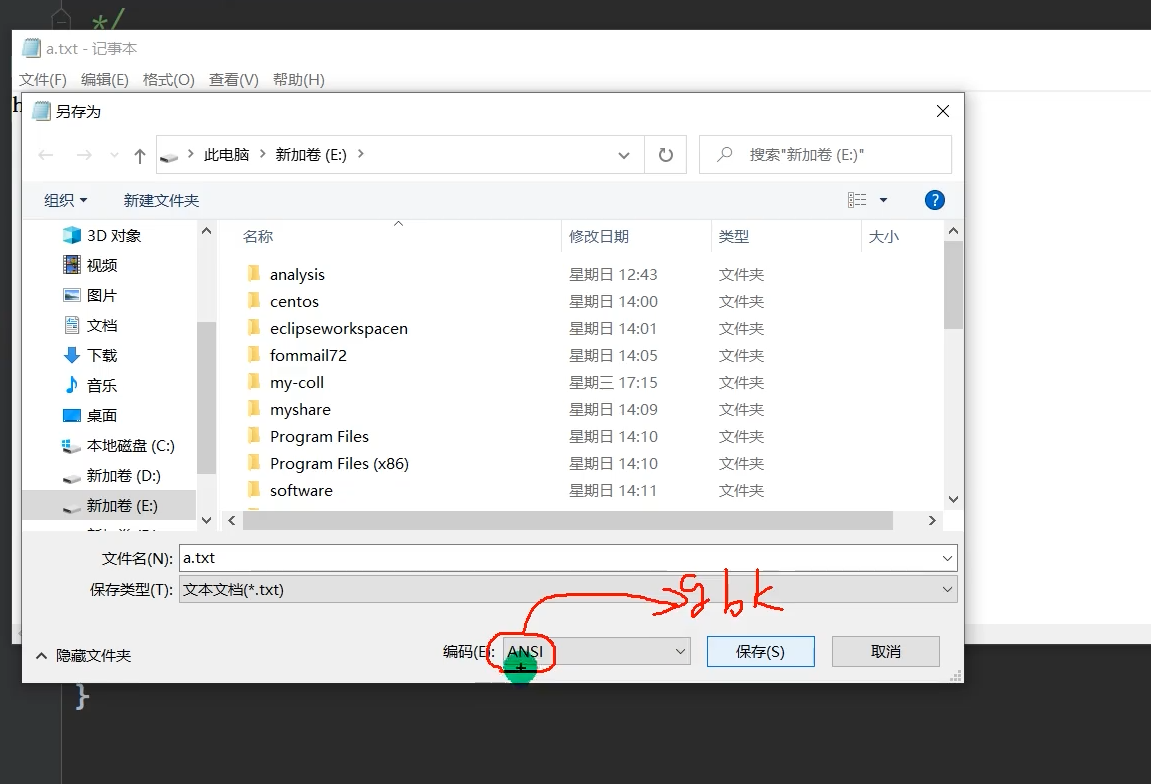
- 出现乱码的原因是没有指定读取文件的编码方式
- 转换流可以把字节流转换成字符流
正式学习
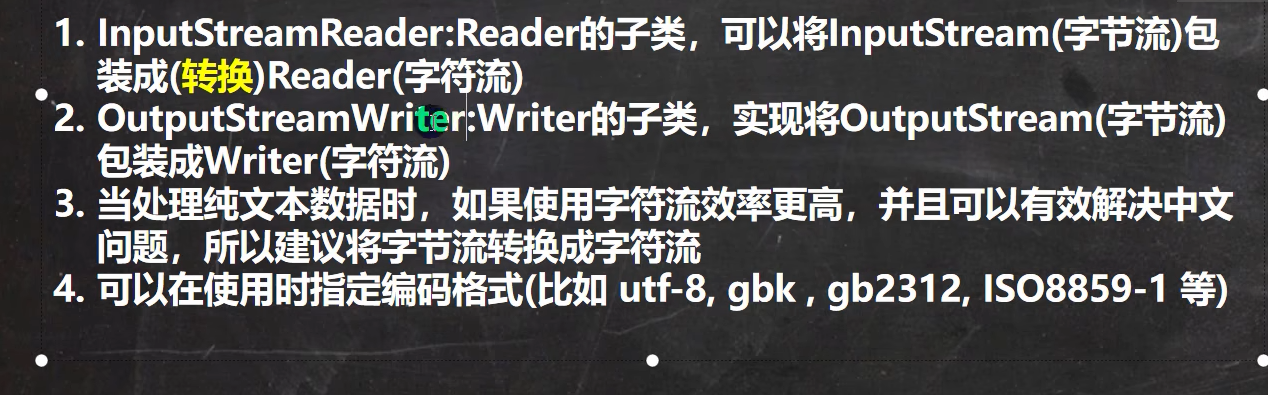
InputStreamReader
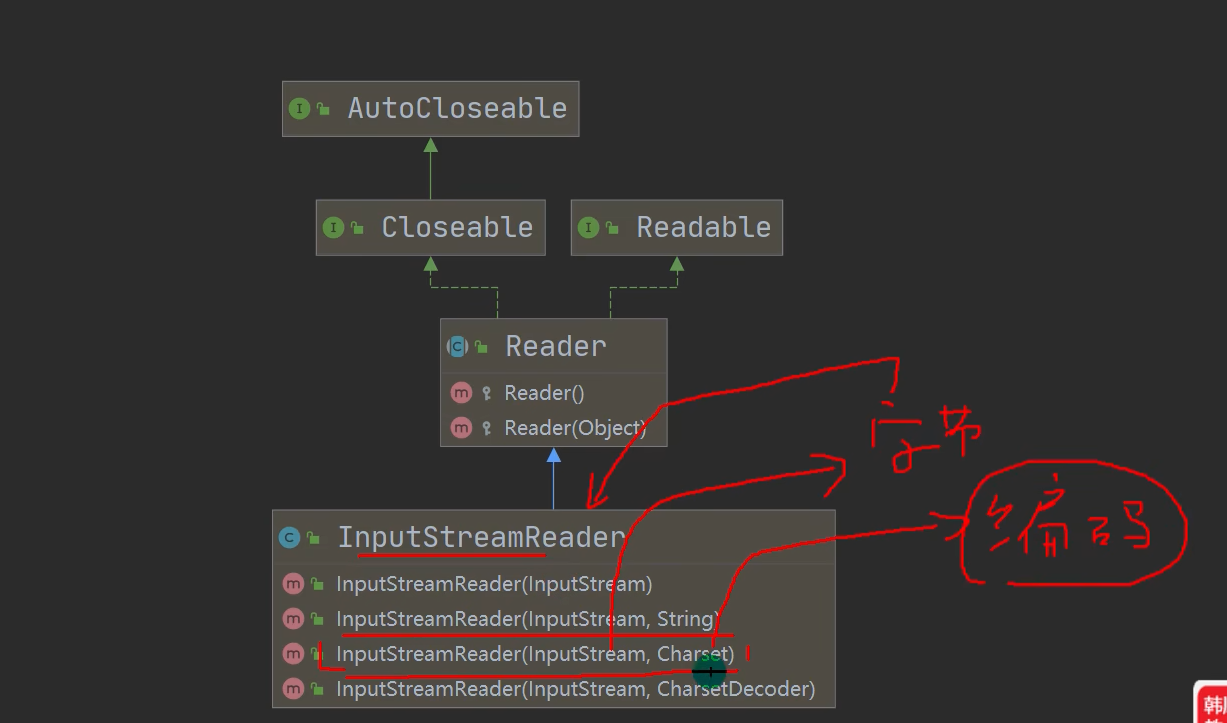
- 传入字节流,然后变成字符流,完成字节流到字符流的转换


1
2
3
4
5
6
7
8
9
10
11
12
13public static void main(String[] args) throws IOException {
String filePath = "e:\\io\\hello.txt";
// 把FileInputStream 转成 InputStreamReader // 指定编码GBK
InputStreamReader isr = new InputStreamReader(Files.newInputStream(Paths.get(filePath)), "GBK");
// 把InputStreamReader 转成 BufferedReader /* 我自己的理解:
把字节流转换成字符流,这里用到了转换流 然后把字符流用包装器来接收之后再读取,但是弹幕说buffer只是让效率变得更高,不用也行
*/ BufferedReader br = new BufferedReader(isr);
//现在再读取
String s = br.readLine();
System.out.println("打印出来的内容: "+s);
// 关闭外层流
br.close();
}
OutputStreamWriter
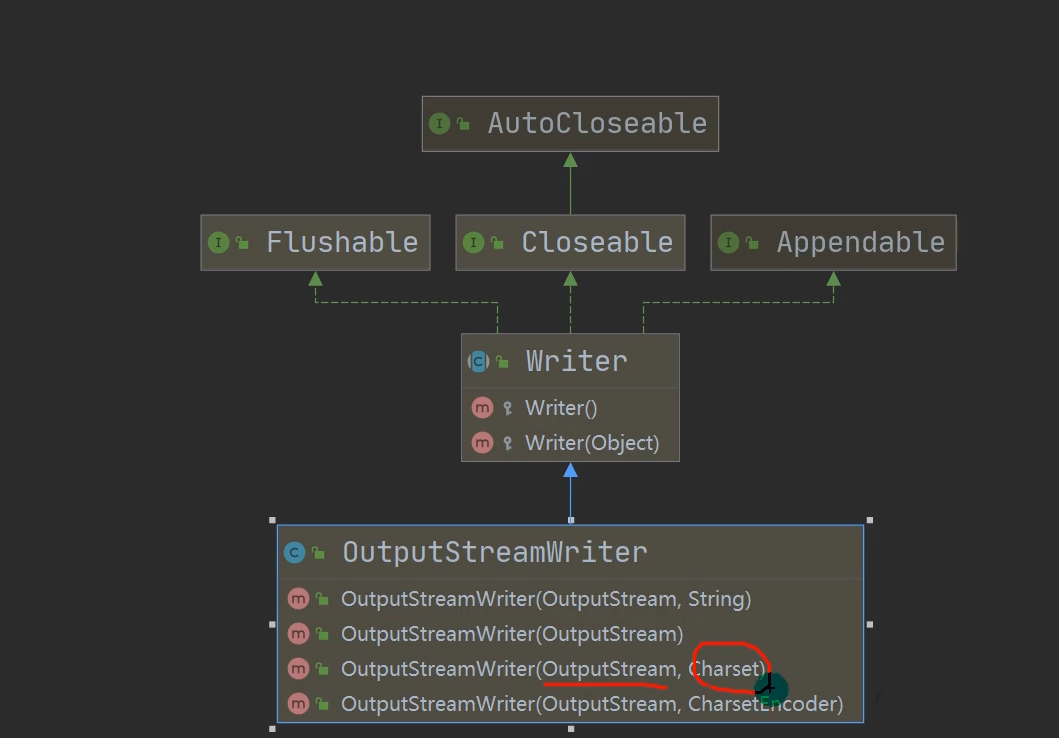
1
2
3
4
5
6
7
8
9
10
11public class OutputStreamWriter_ {
public static void main(String[] args) throws IOException {
String filePath = "e:\\io\\out.txt";
String charset = "utf8";
OutputStreamWriter osw = new OutputStreamWriter(Files.newOutputStream(Paths.get(filePath)),charset);
osw.write("hi,你好编程");
osw.close();
System.out.println("按照"+charset+"格式保存文件完成");
//这里没有用buffer也可以,buffer只是增加效率
}
}
PrintWriter

打印流只有输出流
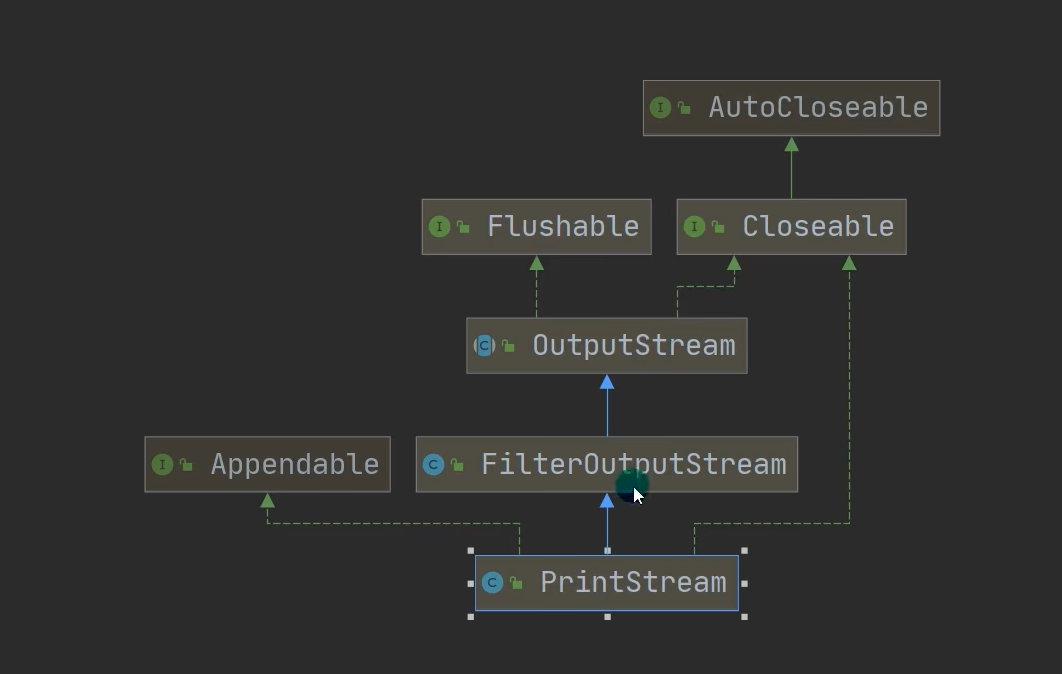
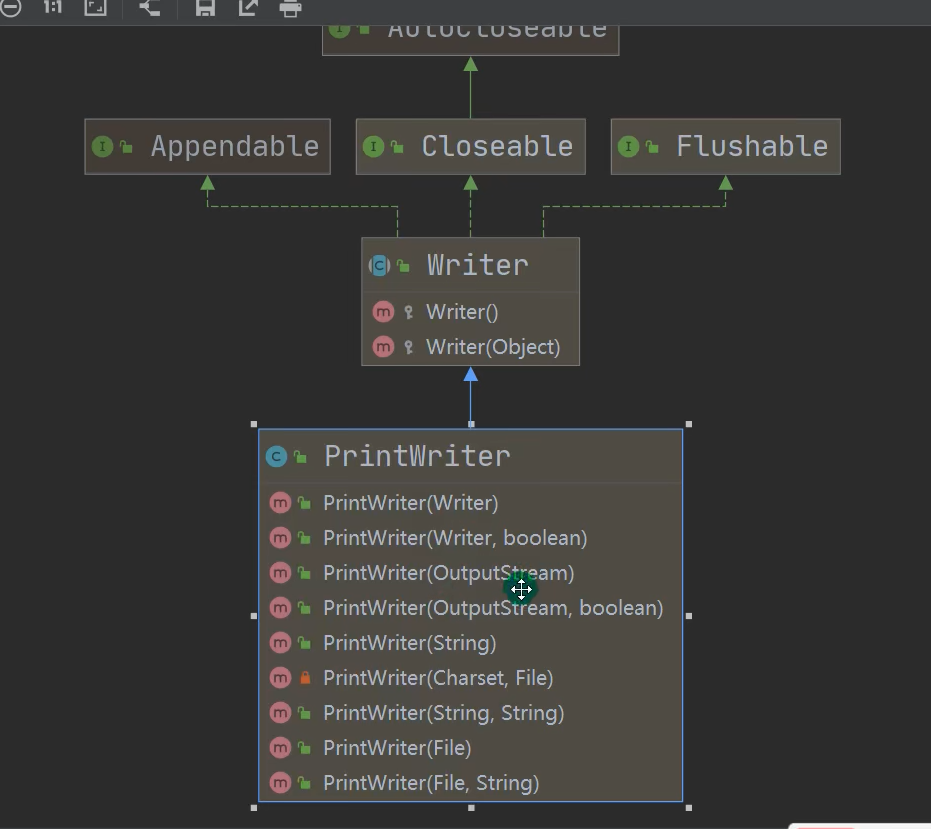
1
2
3
4
5
6
7
8
9public class PrintWriter_ {
public static void main(String[] args) throws IOException {
// PrintWriter printWriter = new PrintWriter(System.out); // 指向显示器
PrintWriter printWriter = new PrintWriter(new FileWriter("e:\\io\\printwriter.txt")); // 指向显示器
printWriter.print("hi,Java你好");
printWriter.close();
}
}
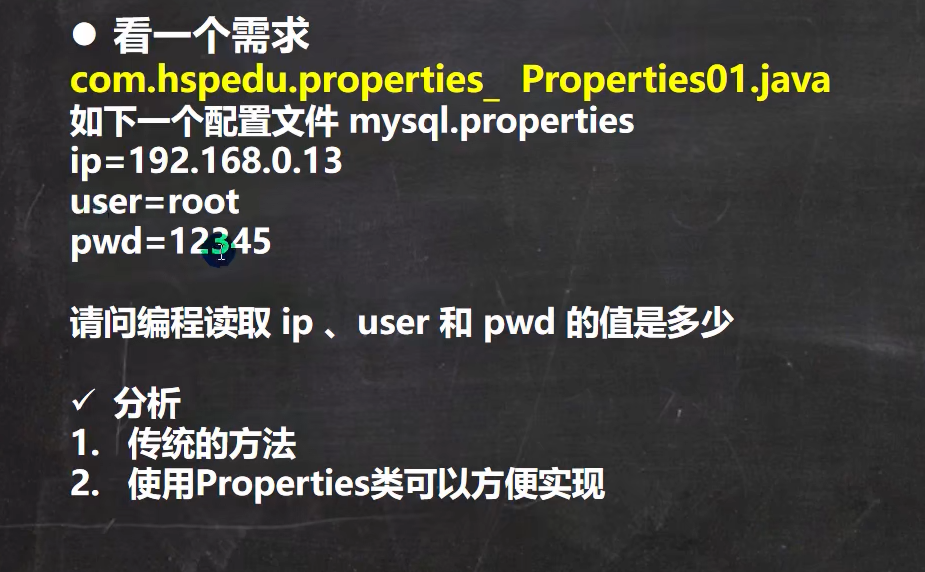
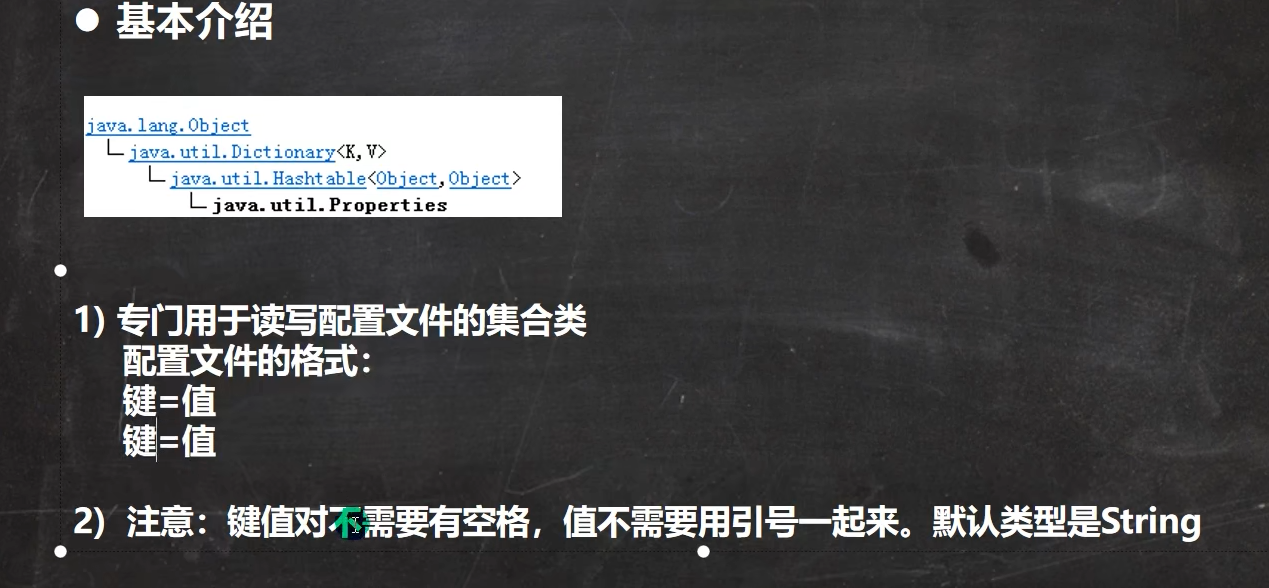
Properties


1
2
3
4
5
6
7
8
9
10
11
12
13
14
15public class Properties_01 {
public static void main(String[] args) throws IOException {
// 传统的读取配置文件的方式
// 读取文件并获取相关数据
BufferedReader br = new BufferedReader(new FileReader("D:\\WorkSpace\\IO\\newfile\\src\\mysql.properties"));
String line;
while((line= br.readLine())!=null){
String[] split = line.split("=");
System.out.println(split[0]+"="+split[1]);
}
br.close();
System.out.println("读取完毕!");
}
}
1 | |
1 | |
IO
http://yething.github.io/posts/2248260274.html